If your organization sells taxable products you can set up the tax tables in your system and set your products to charge the tax automatically. You can get to tax tables from a product record or from Cobalt Accounting.
Navigate from Cobalt Accounting > Tax Tables
Edit an existing tax table or create a new one by click +New

If you are creating a new tax table give it a name and save.
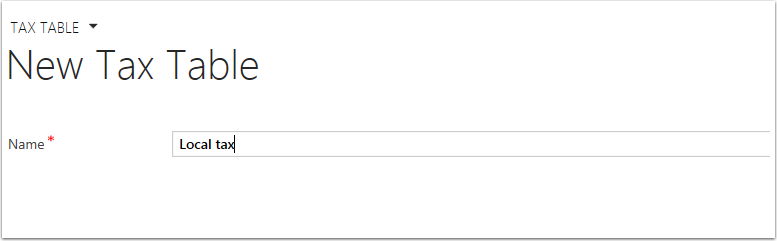
Use the menu tiles to navigate to the Tax Table Entries

Add a new tax table entry or edit an existing one.
Complete or edit the fields of the tax table entry and save.
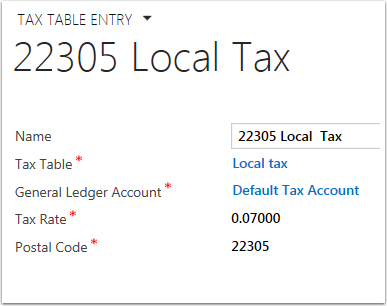
Name -- Name of the Tax Table Entry
Tax Table - Should automatically populate for the tax table you started from.
General Ledger Account - We use our Default Tax Account, but if you have specific accounts for tax income you can select it here.
Tax Rate - The percentage of tax, usually available in an on-line search if you don't know for sure.
Postal Code - The postal code that should be used for reference when generating the tax.
0 Comments