Discount lists allow you to reduce the price for customers who buy products in bulk.
Create a Discount List
Navigate to Settings > Product Catalog > Discount Lists

Select an existing Discount List or Create a New one.
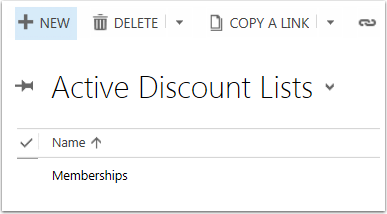
For a new list you will need to set the following fields.
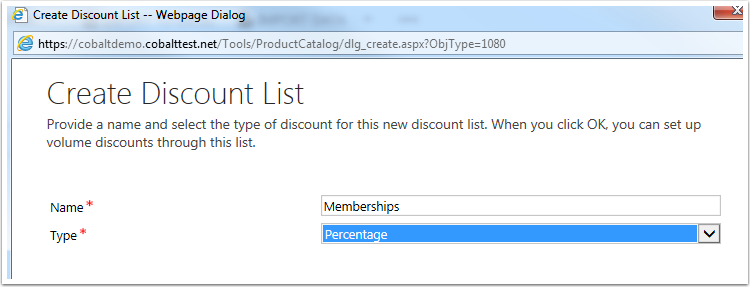
Name -- Name for the discount list.
Type -- Select the type of discount.
- Percentage: The discount given will be a percentage of the total products related to this price list item that are ordered.
- Amount: The discount given will be a flat dollar amount of the total products related to this price list item that are ordered. If you select amount you will also select currency type. This should default to your default currency.
For New or Existing lists you will be able to edit the Name an Description here and link to other information. To change the type create a new list.

The currency field is blank because this is a percentage discount type. An amount discount type will display the currency selected in the Discount List set up in the previous step.
Create a Discount

Enter Required Fields and Save.
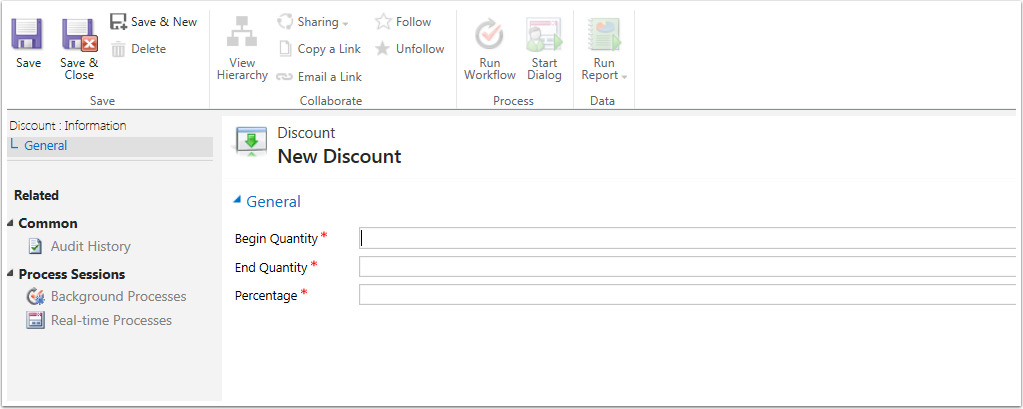
Begin Quantity. When a customer orders this much of the related product, the customer will receive a discount.
End Quantity. When a customer orders up to and including this much of the related product, the customer will receive a discount.
The last field will match they discount type you set on the discount list.
- Amount. The value in this field will be the flat dollar amount reduced from each product the order related to this discount.
- Percentage. The value in this field will be the percentage reduced from each product the order related to this discount.
Connect the Discount List to a Product
Navigate to Settings > Product Catalog > Price Lists
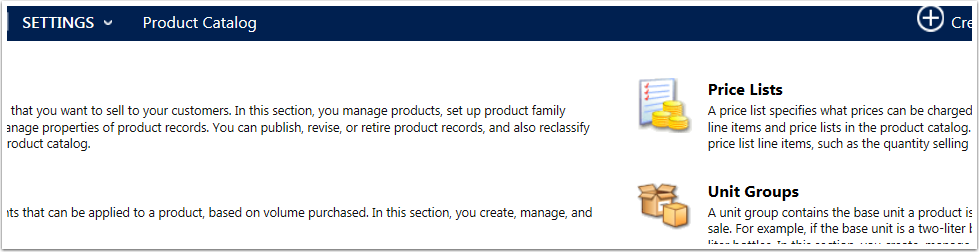
Open price list connected to the product you want to apply the discount to. Use the menu tiles to navigate to Price List Items.
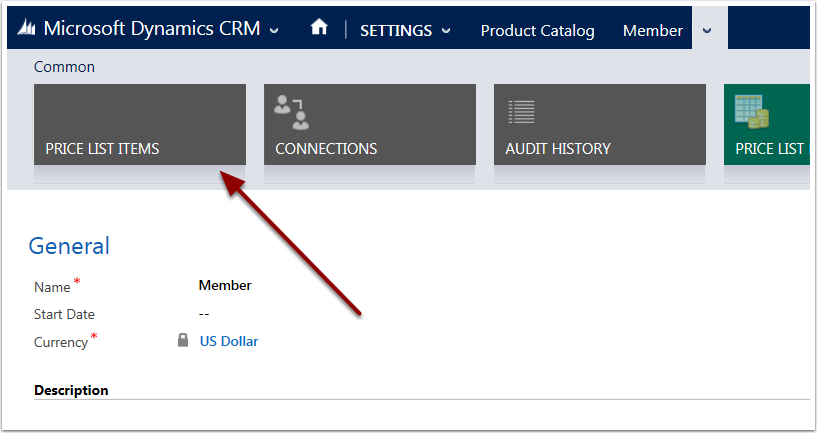
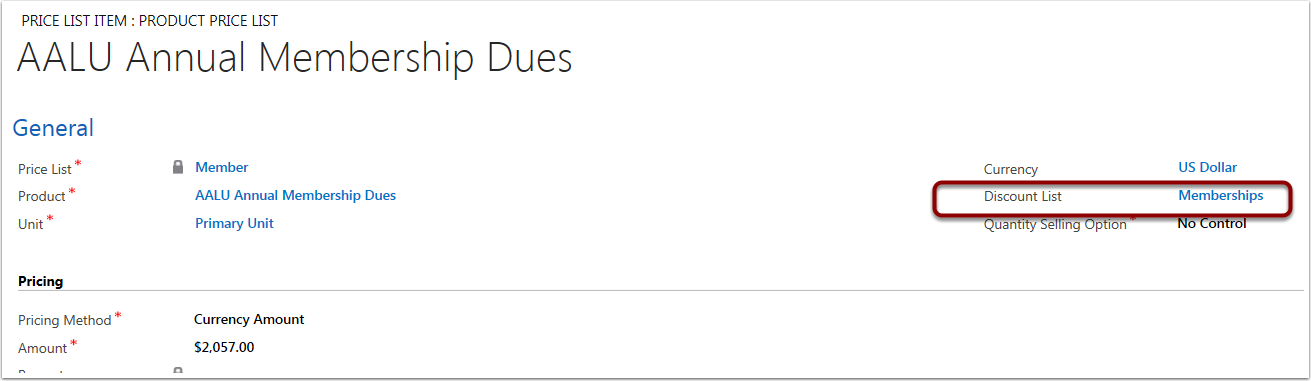
Select the product you want the discount to apply to and add the discount list you just created to the Discount List field and save.
When a discount is applied
Discounts will be applied automatically when orders are paid through the portal or through CRM. When placing the order, the discount will be reflected in the Subtotal line item, but not the Discount line item. The Discount line item reflects additional price reductions, such as manually given discounts or coupon redemptions.
The detail amount on the order will reflect the discounted price.
The detail amount on the invoice will reflect the discounted price.
There will be a GL Account entry, "Invoice Discount," for the amount that was discounted from the order.
0 Comments