The Receipt records are automatically generated when payment is received through any process that allows for payment. This should also automatically trigger a receipt email to be sent to the customer. However, you may run into a situation where you need to manually send the receipt email or resend it.
Navigate to the Receipt Record
This can be done from the regarding record or through advanced find, see both methods in the substeps below.
Navigate from Advanced Find
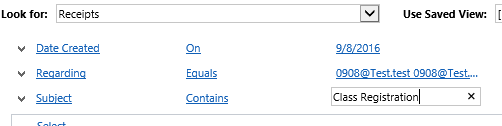
Look For Receipts
To narrow it down you can select Date Created
To narrow further you can look for Subject and/or Regarding
Click Results (if you selected regarding there should be only one record. If you select subject contains there may be multiple records)
Navigate through the Regarding Record

Open the Regarding Record (the screenshot is a class registration) and Navigate to Activities
Switch view to All activities to see both the receipt and the email activity (both should be there)
Open the Receipt Record
Click the more commands button and select Run Workflow

Select Send Receipt Email and Click Add
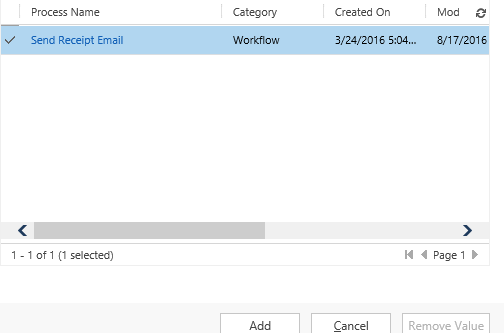
Click Ok in the pop up window to confirm Application of workflow.
Confirm email sent

Return to the regarding record and navigate to activities. Switch the view to all and you should now see the sent email record.
0 Comments